Every time a guest RSVPs from your website's form, their reply is saved instantly to your dashboard — there's nothing to set up or turn on.
Where RSVPs are saved
Every reply is collected live in your List of Assistants, tied to your website's RSVP form: at a glance you can see how many guests are attending, how many aren't, and how many haven't replied yet.
You can also get there without opening the editor: on the Your websites list, every card has a Guest list shortcut showing the number of RSVPs received, which takes you straight to the dashboard.
Open the dashboard
- Go to your wedding website and open the editor.
- In the sidebar, click Guests, then Guestlist in the menu that opens.
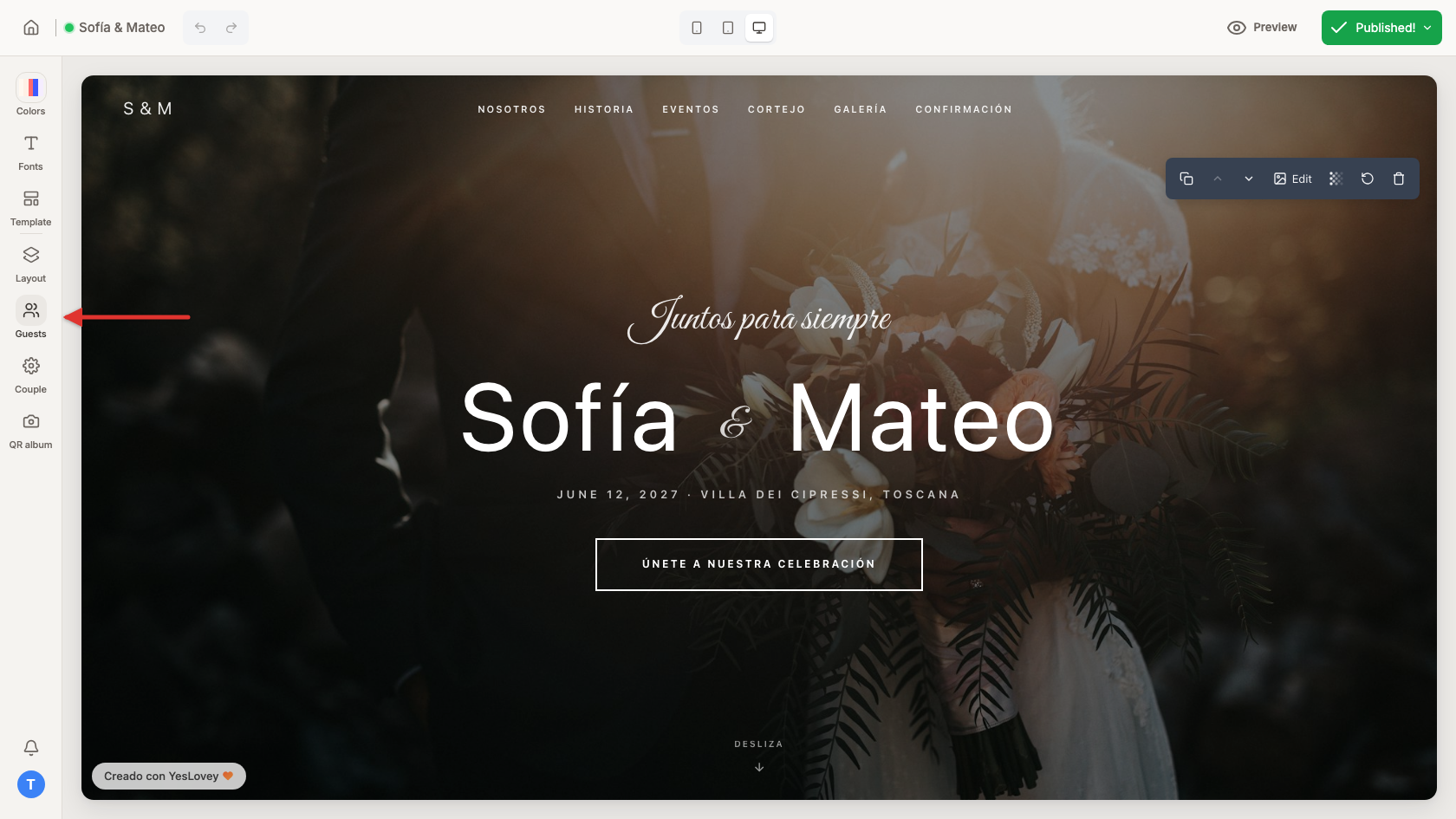
- The List of Assistants opens, showing every RSVP received so far.
- Go to your wedding website and open the editor on your phone.
- In the floating bar at the bottom, tap Guests, then Guestlist in the menu that appears.
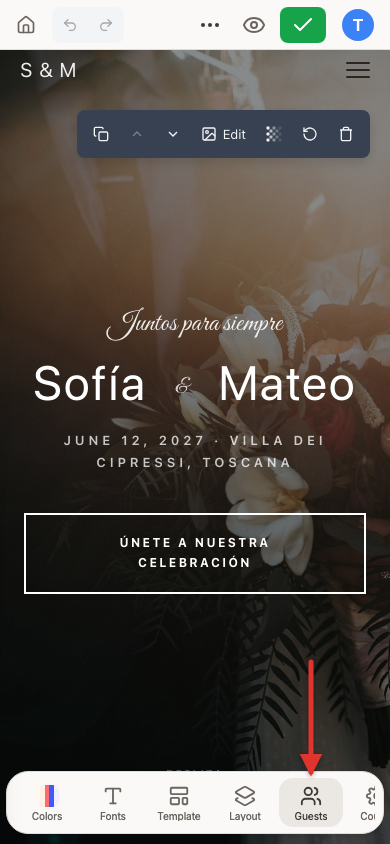
- The List of Assistants opens, showing every RSVP received so far.