When to Send Wedding Invitations (and Launch Your Wedding Website): Full Timeline
Wedding invitations go out six to eight weeks before the wedding, according to both The Knot and Brides. Save the dates go out four to eight months before: Brides says four to six, The Knot says six to eight. RSVPs should be due three to four weeks before the wedding, and we recommend launching your wedding website before the first save the date goes out.
Knowing when to send wedding invitations settles only one of the deadlines. Each step depends on the one before it: without a closed RSVP list there is no final guest list, and without that you cannot finish the seating chart or give your caterer a final headcount. Below is the full timeline, from the day your website goes live to the last message in wedding week.
Key takeaways:
- Order invitations online 12 to 14 weeks before the wedding and have them in hand at least 10 weeks out, according to The Knot.
- For a destination wedding, Zola moves the save the dates to 8 to 12 months before.
- Digital invitations follow the same six-to-eight-week window as paper ones, according to The Knot.
- Your caterer’s contract sets the final headcount date: five working days before the event at Kahn’s Catering, “a few days to a week” at Evolved Catering.
- Guests who have not replied get a reminder the week before the RSVP deadline, and a call about a week after it.
- On YesLovey’s free plan, the RSVP form takes up to 60 guests, companions included.
Wedding invitation timeline: what to send and when
The wedding invitation timeline has nine steps, starting with publishing the website. Then come the save the dates, four to eight months before, and the invitations, six to eight weeks before. After the RSVP deadline, three to four weeks before the wedding, you do the seating chart, send the final headcount and send one last message.
| When | What | Details |
|---|---|---|
| Before the save the dates | Publish your wedding website | Names, date and place. Add the rest later |
| 4–8 months before (8–12 for a destination wedding) | Save the dates | A heads-up to hold the date, with the link to your website |
| 12–14 weeks before | Order the invitations (if ordered online) | Have them in hand at least 10 weeks before |
| 6–8 weeks before (9–10 for guests outside the US) | Formal invitation, paper or digital | Times, venue and how to RSVP |
| The week before the RSVP deadline | Reminder to guests who have not replied | A short personal text or email |
| 3–4 weeks before | RSVP deadline | Close the form, then call anyone missing about a week later |
| After the RSVP deadline | Seating chart | Built from the final list of confirmed guests |
| When your caterer asks | Final headcount | Set by your contract. The Knot plans it about two weeks before |
| Wedding week | Last message with the logistics | Times, directions, transport and parking |
Save the dates: Brides, The Knot and Zola. Invitations and ordering: The Knot and Brides. RSVP deadline, reminder and headcount: The Knot. Publishing the website first is our recommendation.
These dates are etiquette guidelines, not fixed rules, and the sources do not fully agree. On save the dates, Brides says four to six months and The Knot six to eight. Zola’s own guide gives both “four to six months” and “six months” for a local wedding.
If many of your guests travel, use the longer end of each range.
When to launch your wedding website: before the save the dates
We recommend publishing your wedding website before you send the save the dates, even if some sections are still empty. The save the date and the QR code on a paper invitation both point to the website, so it has to work the day the first link goes out. Names, date and place are enough for the first version.
Zola’s sample timeline for a year-long engagement makes the same call: it sets up the wedding website at 11 months and sends local save the dates at 6.
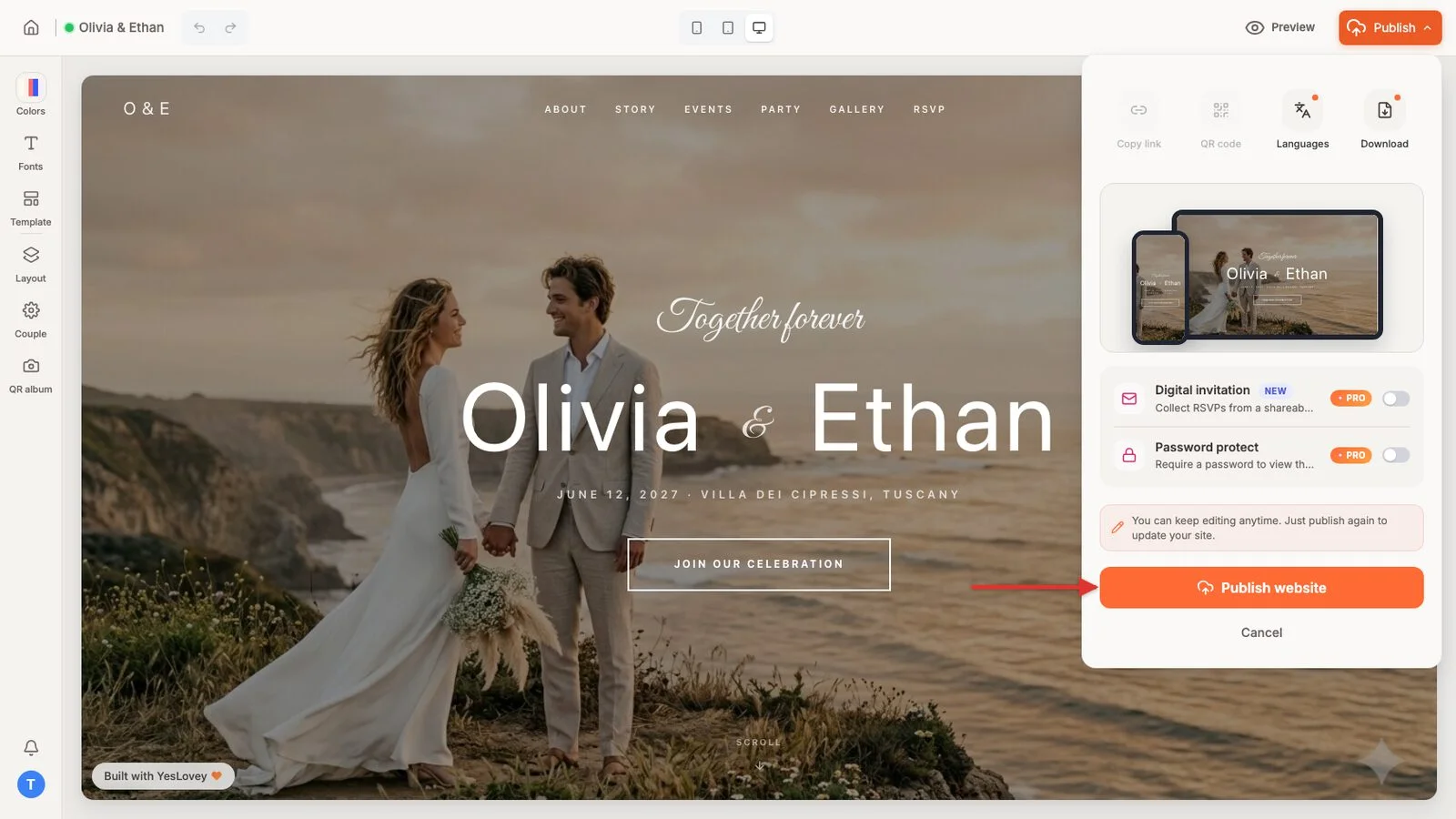
On YesLovey you publish with the Publish button: pick a free address like yournames.yeslovey.com and the site goes live. Later edits save automatically as a draft. Guests do not see them until you press “Publish Changes”.
Publishing gives you a link to share by text or email and a free QR code that never expires. The QR code keeps pointing to the website while you edit it, so you can print it on the invitations months before the site is finished.
Password protection, so that only people with the password can open the site, is a Pro feature. For ideas on what to add later, see these wedding website examples.
When to send save the dates: 4 to 8 months before
Send save the dates four to eight months before the wedding. Brides puts it at four to six months, The Knot at six to eight, and Zola at “no earlier than 8 months and no later than 4 months” out. The save the date asks guests to hold the date; the details come later, with the invitation.
The sources shift the date for three cases:
- Destination wedding: 8 to 12 months before, according to Zola.
- Faraway venue or holiday weekend: The Knot recommends “skewing more toward eight” months.
- Less than four months to go: The Knot calls that too late for save the dates and says to send the invitations directly.
According to The Knot, a save the date is also “a good place to include a link to your wedding website”.
A save the date can be a text message with that link. Whoever opens it sees the date and place, and comes back to the same address when the invitation arrives.
When to send wedding invitations: 6 to 8 weeks before
Send wedding invitations six to eight weeks before the wedding, according to The Knot and Brides. The Knot suggests staying near eight weeks when guests mail back paper RSVP cards, and says six weeks can work when the invitation carries a QR code to an online RSVP. It calls any time after six weeks too late.
For invitations ordered online, The Knot says to order 12 to 14 weeks ahead and to have them ready to mail at least 10 weeks before the wedding. That leaves time for shipping delays or a reprint.
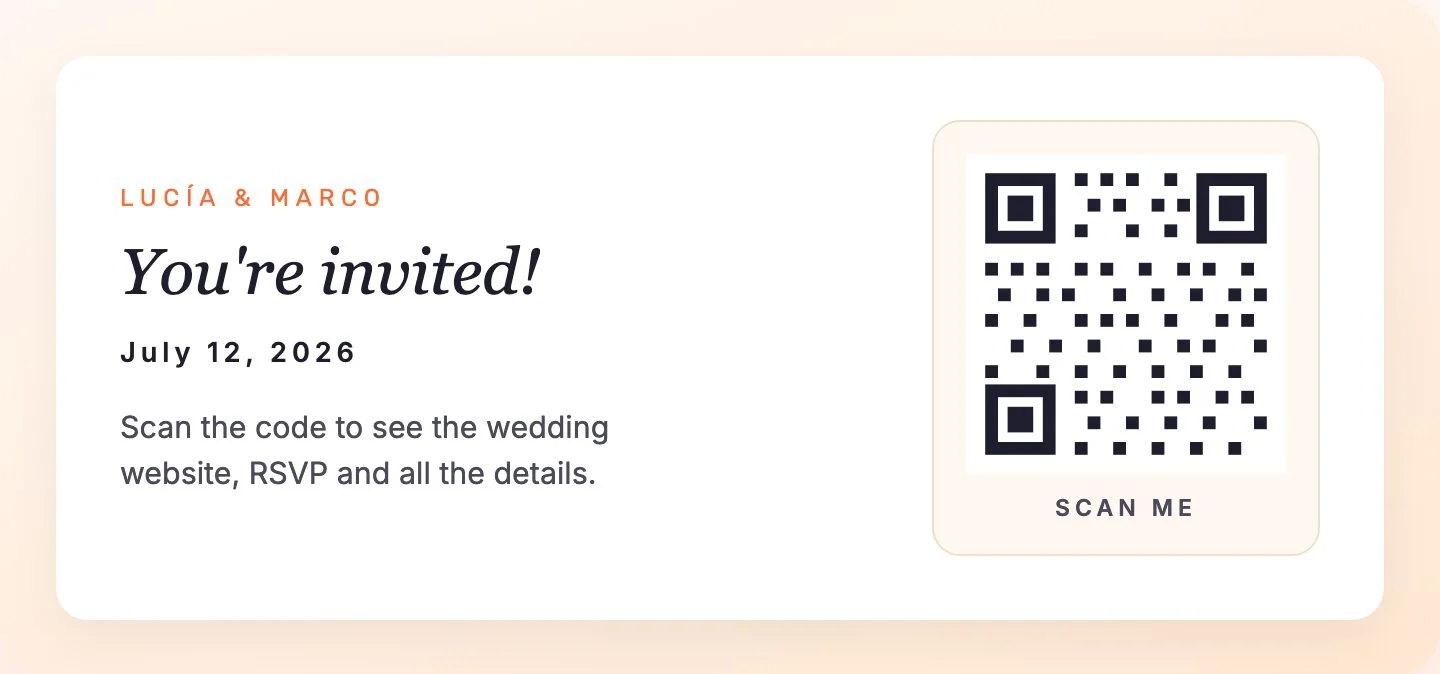
If you send paper invitations, print the website address and its QR code on the card. The guest scans it, sees the details and RSVPs from their phone.
The Knot applies the same six-to-eight-week timeline to paperless invitations. If you send a digital wedding invitation, send it in that same window.
The YesLovey digital invitation opens from a link, with an animated intro (an envelope or doors opening, among 20+ styles), music, countdown, map and RSVP form. You can create and preview it for free; publishing it takes Pro, which costs $59 as a one-time payment.
When RSVPs should be due: 3 to 4 weeks before
Set your RSVP deadline three to four weeks before the wedding. The Knot calls that the sweet spot and says RSVPs should be due no later than two weeks before, while Brides says one month. Either way, you get time to chase late replies and plan the seating before your caterer asks for the final headcount.
The headcount date itself changes from one caterer to the next. Kahn’s Catering asks for it five working days before the event. Evolved Catering says most caterers want it “a few days to a week before the event” and that the contract sets the exact date.
The Knot plans for the final count about two weeks before the wedding. Check your own contract and work backward from that date.
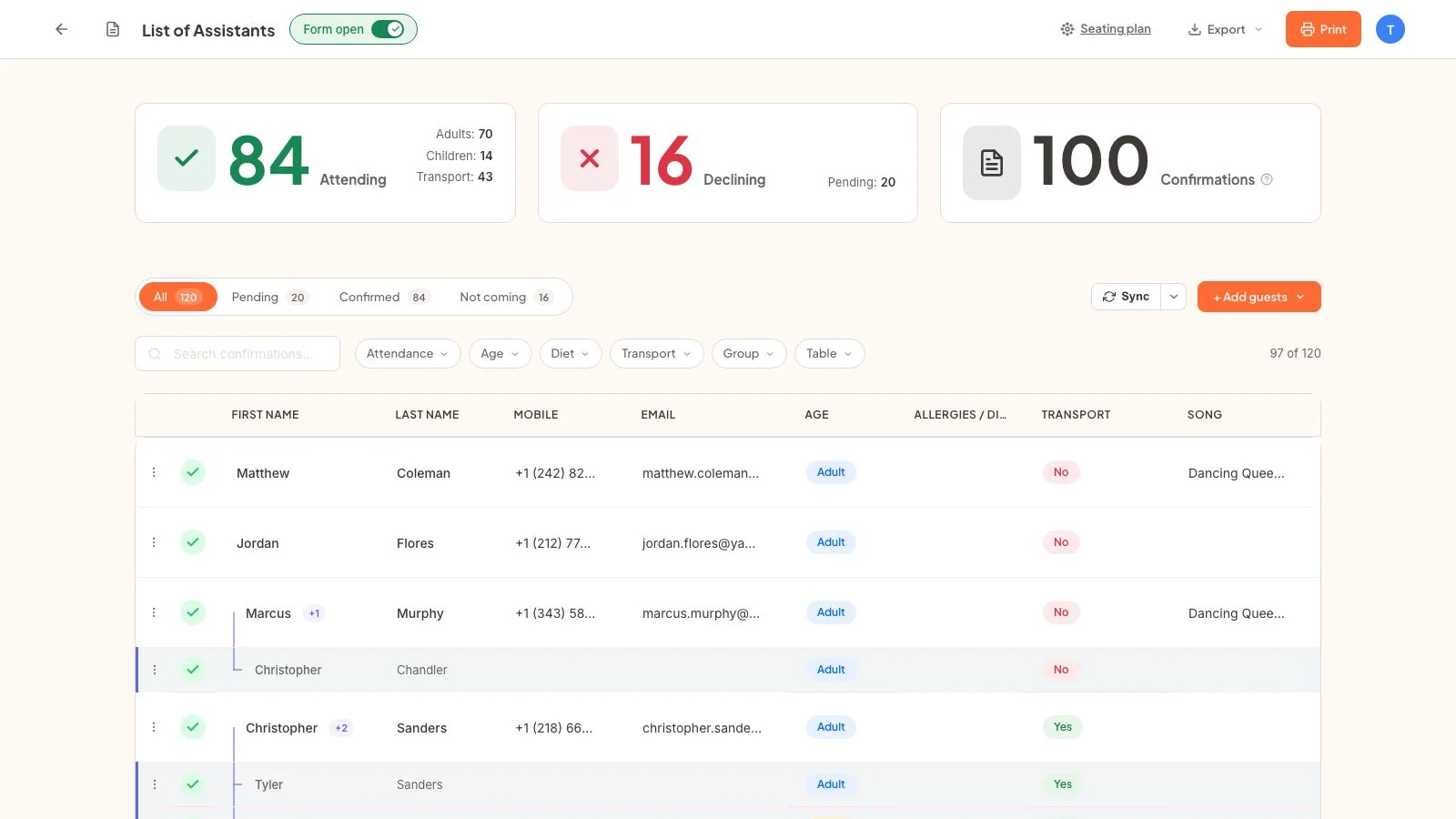
Write the RSVP deadline on the invitation and next to the form on your website, for example “Kindly reply by May 15”. On YesLovey the form does not close by itself on a date. It has a “Form open” toggle that you switch off on the day, with your own message for anyone who replies late.
The Knot suggests a quick reminder the week before RSVPs are due. If you have added your guest list to the dashboard, the Pending filter shows who has not replied.
The free plan takes up to 60 guests on the RSVP form, companions included. When you reach that limit, the form closes. If you expect more replies, Pro makes them unlimited for $59, one-time.
After the RSVP deadline: seating chart, final headcount and last message
After the RSVP deadline, three jobs remain: the seating chart, the final headcount and the last message to guests. Build the seating chart from the final list of confirmed guests, not from the invite list, and give your caterer the headcount on the date in your contract. In wedding week, send one last message with times, directions and transport.
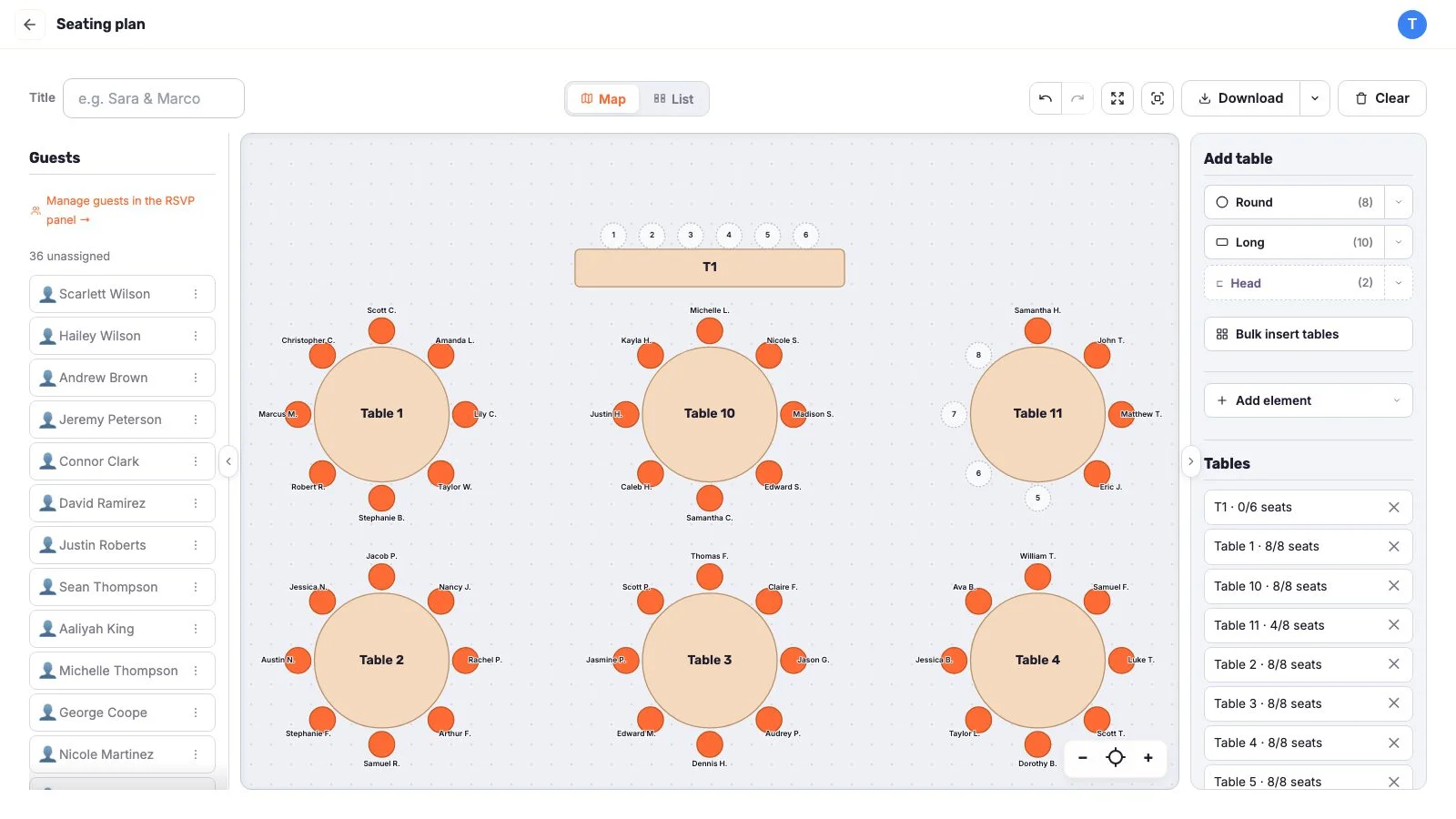
Guests who still have not replied get a call about a week after the deadline, according to The Knot. Until they answer, leave them off the seating chart.
The YesLovey seating chart is free and needs no sign-up. To seat someone, select the guest and tap a seat. When you are done, export the chart as PNG or PDF and the guest list as PDF, TXT or CSV.
The last message can be your website link plus one line: “Here are the times, the shuttle and directions.” If something changed since the invitation, the website shows it as soon as you publish the changes, so you do not have to message guests one by one.
Special cases: destination weddings, peak season and short engagements
The wedding invitation timeline changes in three cases: a destination wedding or guests abroad, a peak-season or holiday wedding, and a short engagement. With many traveling guests, everything moves earlier, and in peak season or on holidays, invitations stay near the eight-week mark. With less than four months to go, you skip the save the dates.
Destination wedding or guests abroad
For a destination wedding, Zola sends save the dates 8 to 12 months before. On the invitations, the sources disagree. The Knot’s invitation guide says eight weeks for a destination wedding, while its RSVP guide says “closer to 10 or 12 weeks”.
For guests outside the US, The Knot suggests mailing invitations nine to 10 weeks ahead. Brides says to send all invitations at least 12 weeks ahead if much of your family lives abroad.
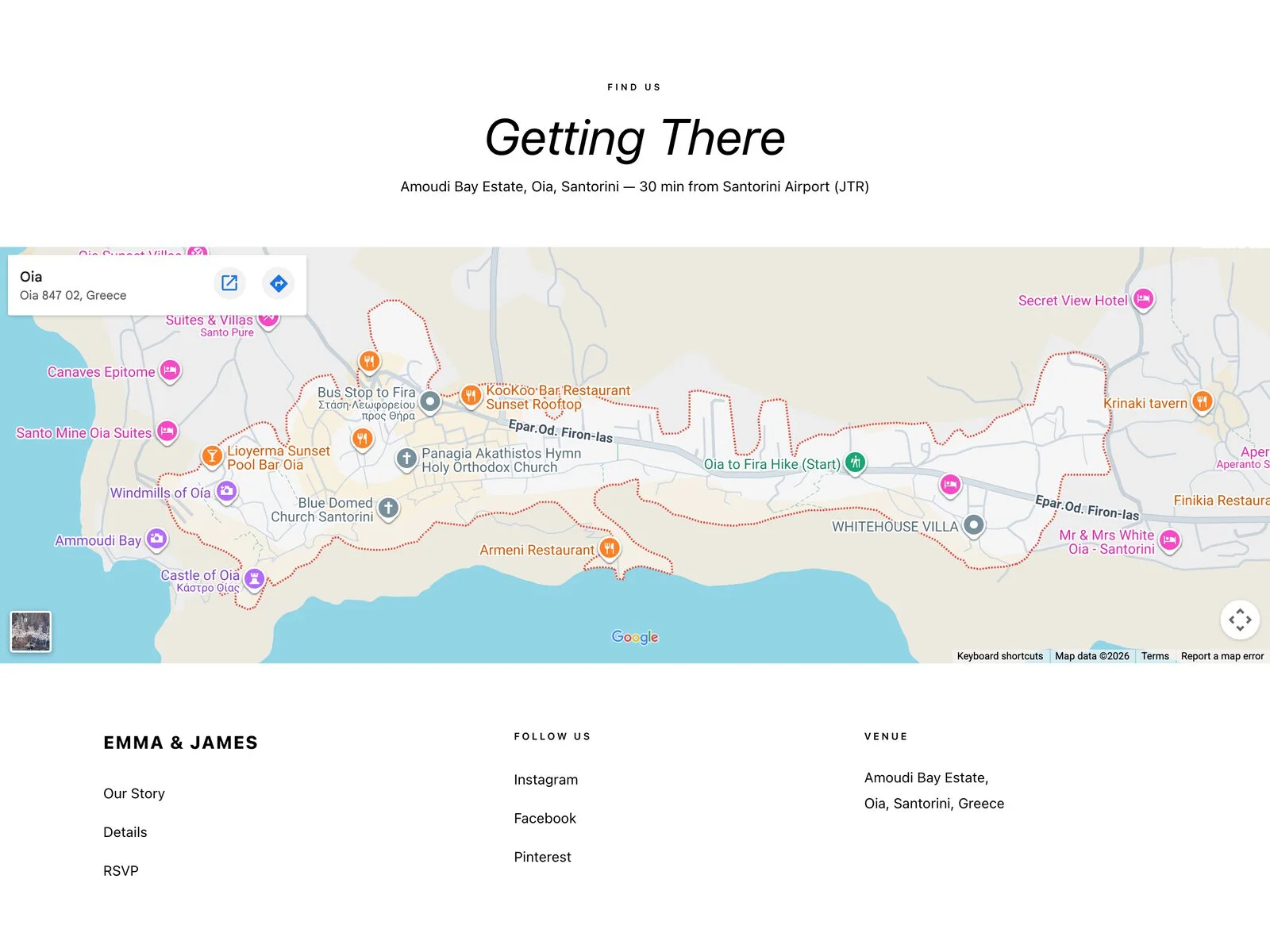
Put travel directions and hotels on the website from the first version. That is what a guest booking flights eight months out needs.
Peak-season or holiday wedding
The Knot recommends sending invitations closer to eight weeks for June, September and October weddings. For a wedding on a holiday, it says eight weeks, or closer to three months if your guests would want more notice.
Short engagement
With less than four months to go, skip the save the dates and send the invitations directly, with the website already live. The Knot suggests three months before the wedding for short engagements, and treats anything later than six weeks as too late. The RSVP deadline stays at three to four weeks before.
How to run your wedding invitation timeline from one website
With a wedding website, all three mailings in the timeline point to the same address: the save the date, the invitation and the last message. Between one mailing and the next, only what you add to the website changes. On YesLovey it takes three steps, starting before the save the dates, four to eight months before the wedding.
- Publish the minimum version before the save the dates. Names, date and place. Share the link by text as your save the date.
- Complete the website before the invitations, six to eight weeks out. Add the schedule, directions, hotels and the RSVP form, with the deadline written next to it. If you mail paper invitations, print the QR code on the card.
- Close the form on the RSVP deadline. Switch off the “Form open” toggle, build the seating chart from the final list and send the headcount to your caterer on the date in your contract.
Create your wedding website for free
Free, no credit card. Publish it today and share it with your save the dates.
For the RSVP question and 24 others guests ask, see these wedding website FAQs.
FAQ
These are the most common questions about the wedding invitation timeline: how early is too early, when RSVPs should be due, whether digital invitations follow the same rules, whether you need save the dates and what to do when a guest does not reply.